Tampilkan postingan dengan label Windows. Tampilkan semua postingan

Senin, 01 Juli 2013

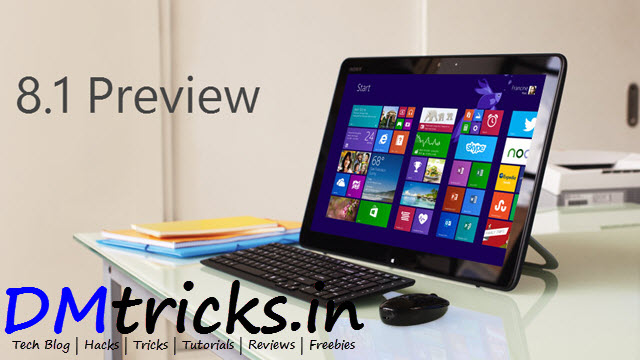
Windows 8.1 Preview ISO Direct Download Link

As we all know Microsoft have launched its updated version of  Windows 8 i.e. Windows 8.1 Preview. Windows 8 has not been so successful as compare to Windows 7 and other previous versions, so lets see how users will rate to Windows 8.1 Preview. If you are interested in trying windows 8.1 preview then you can download and try it. Users who have installed windows 8 can directly download update from windows store. But user who prefers direct download of ISO file can download it from link mentioned in the post.
Windows 8.1 Preview ISO Direct Download Link

Note: Windows 8.1 Preview isn't currently supported on some tablets and PCs with newer 32-bit Atom processors. Get the details

Windows 8.1 Preview ISO File Download Link

English 64-bit (x64)  Download (3.49 GB)

English 32-bit (x86) Download (2.59 GB)

Product Key: NTTX3-RV7VB-T7X7F-WQYYY-9Y92F

How to install Windows 8.1 Preview from an ISO file

This procedure is for Windows 8 users.
  1. Download the ISO (.iso) file from above given links.
  2. After downloading double-click the ISO file.
  3. Double-click setup.exe and follow the steps.
Important: If you don't have recovery media, we recommend that you create a USB recovery drive before you install Windows 8.1 Preview so that you can go back to Windows 8 if you need to.

Be Social! Take a second share this post with your friends if it helped you also like us on facebook and stay updated with latest posts.

Selasa, 23 April 2013

How To Recover Deleted Data From Pen Drive - Without Software

Hello readers! We often store important data in our Pen Drive. Not important data! but still we store some videos, games or any other file which we cant afford to loose. Sometimes by mistake or intentionally we deleted some important file and after deleting we realize that it was important and wonder how to recover it. You can find many software s(paid or free) that can recover deleted data from your Pen Drive. But from below mentioned method you can easily recover data from your Pen Drive without any software. And very fast as compared to many softwares
get pen drive data back

Recovering deleted data from Pen Drive is very easy just follow below steps carefully and recover deleted data from your Pen Drive easily

Steps To Recover Deleted Data From Pen Drive

  • First open notepad.
  • Now copy below code paste it in notepad
attrib -r -s -h /D /S
del *.scr
del *.lnk
del *.zAJ
  • Now save the notepad file in your Pen Drive with name as 'recover.bat' file...
  • Now double click it.
  • Your deleted data will be recovered instantly.

Screenshot Of Data Recovery

Screenshot Of Data Recovery

Above steps were very easy. Now next time don't worry about recovering your deleted data from Pen Drive. Just check back this post and follow the steps.

If you like this post kindly share it with your friends. Also like us on facebook and stay updated with latest posts.

Kamis, 18 April 2013

Check Whether Your Antivirus Is Reliable or Not

We always want our PC to be protected from virus/threats . So everyone use different Antivirus (paid or free) to protect their PC. Some antivirus are really good and protects your PC from threats. But there some (mostly free) Antivirus which does not protect your system fully. So below is the method by which you can easily check that your Antivirus in working properly or not.

Check Whether Your Antivirus Is Reliable or Not

Steps To Check Your Antivirus Is Reliable or Not

  1. First open notepad
  2. Now copy and paste below mentioned code
  3. Copy this code:X5O!P%@AP [4\PZX54(P^)7CC)7}$EICAR- STANDARD-ANTIVIRUS-TEST-FILE!$H +H*
  4. Now save it with .exe extension like antivirustest.exe.
  5. Your antivirus will detect this file as virus and will attempt to delete it as soon as you save this file. [don't worry this will not affect your PC]
  6. If your antivirus detect that file as virus that proves your antivirus is working properly, if not better to get a reliable Antivirus
Check this post it may help you to choose better Antivirus>>>Top 5 Antivirus Softwares To Protect Your PC

Visit daily for more security Tips, also like us on facebook and stay updated. 
Share this post with your friends so that their PC can also check that whether their Antivirus is reliable or not.

Kamis, 14 Februari 2013

Get Chrome Like Tab And Bookmark Bar In Windows Explorer

Dear Visitors today we have came with an awesome tool that makes your windows explorer very professional looking and easy to navigate just like Chrome browser. We all know that Google Chrome  is best browser, it is best because of its awesome features which lack in other browser. Some features of Chrome browser like easy tab functionality which improves performances because of its easy tab switching. This tab feature makes navigation faster and helps to handle the opened windows right from the working tab.

Well we can get all this features of chrome in windows explorew with a small utility known as Clover. It gets integrated into the Windows explorer to provide  the functionality of  the Google chrome browser or for the tabbed windows explorer experience. Clover introduces a powerful and easy-to-use Browser Helper Object for the Windows Xp/Vista/7/8. Clover doesn't replace or modify the Windows Explorer.exe, it just works with/beside the Windows explorer. Lets have a look on how to use Clover and download link.

How To Use Clover

  • First of all download clover from below link
  • Download Clover
  • Now install the Clover on your PC.
  • After installing it will look like Chrome browser's tab, where you can open a new tab with a single click, Clover also opens tab or window inside windows explorer.
Look of windows explore after installation of clover
  • Right clicking on any tab, the context menu will show some options whose are almost the same as Chrome browser tab's context menu.
Chrome browser like tab's context menu
  1. Reopen closed tab
  2. Close tabs to the right
  3. Close other tabs
  4. Bookmark all tabs
  5. Duplicate
  6. Close tab
  7. New tab
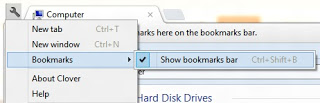
  • You can also bookmark any address for accessing most used/accessed locations. To bookmark any tab, which contains an address of a location, first tick on show bookmark bar by clicking on the wrench button and going to Bookmark, then mark on the Show Bookmark Bar.
Bookmark any address

  • Bookmark Bar will appear under the tab. Now whenever it needs to bookmark, just drag and drop the file or folder to the Bookmark Bar
Bookmark Bar Under Tab

That's it enjoy using this utility and visit daily for more tricks. Like us on facebook and stay updated. If you have any doubt do comment below you will get a reply as soon as time allows

Selasa, 05 Februari 2013

Windows 8 Activator 100% Working - The Best One

Dear Visitors today we are back with a new tool which will help you to make your Windows 8 Activate permanently. Nowadays many Peoples are using Window 8 in Their PC but always getting Problem in Activation,So this post is for all those who want to use Window 8 in their PC without any issue of Activation. This activator is an offline windows 8 activator. This is the 100% working and best windows 8 activator, I considered it best because it also enables the personalization feature.
Windows 8 Activator 100% Working - The Best One

Steps To Activate Windows 8 Using This Activator

  • First download the Activator from below link
Download Windows 8 Activator
  • Now extract the file and run the Activator
  • You will see a command screen., just let it complete its task.
  • Windows will reboot automatically.
  • After reboot, you will see a notification that "Machine is running Activated windows 8" or something similar to it.
  • Check personalize option, Now you would be able to use the Personalize feature as well.

Screenshot After Activation Of Windows 8

Screenshot After Activation Of Windows 8
Finally your windows will be activated. If you face any problem regarding this Activator do comment below, you will a reply as soon as time allows!

Note : Before extracting this Activator please disable ANTIVIRUS of your system as many Antivirus report this activator as Virus, But it is not harmful at all. Antiviruses detects it as virus because it is not an authorized software. Please believe on us, We have never provided anything which can damage your computer system. If your anivirus is creating problem or deleting this file after extraction then just disable it for sometime and activate it after activation of windows 8.

Senin, 10 Desember 2012

Universal Keygen Generator 2013

Hello Readers, today we are back with a new hacking software known as Universal Keygen Generator. Using this universal keygen generator you can generate keys for over 10K software/game. Now no need to waste hours on searching the keygen. This is 100% working keygen generator.

Universal keygen generator 2013

Steps to use Universal Keygen Generator

  • Download the file from below link and Extract It.
  • Universal Keygen Generator 2013.
  • Now run the key generator.
  • Now Enter the Name of application and select your application, click on generate and keygen will be generated instantly [see above image].
Be Social! Take a second share this post with your friends if it helped you. Also like us on facebook and stay updated with latest posts.

Rabu, 07 November 2012

Top 5 Antivirus Softwares To Protect Your PC

Anti-viruses are the main component of any PC. Whenever you buy a new PC or install new Windows package first thing you do is install an antivirus program to stay protected from any threat to your PC. There are many renowned company which develop antivirus programs that can protect you from almost all online threats and viruses but this is the growing world so threats grows everyday but still there are some programs that get update day by day and block the new viruses too. Below is list of 5 top most renowned antivirus programs that can protect your PC.


Bit-defender

Bit-defender:  Bitdefender is an antivirus program developed by Romania based company called "Softwin", it’s the top most renowned program, with its huge sets of protecting features it tops out the list. Its features include online links scanning, search advisor, PC optimizations tools and schedule scanning. It comes in three packages, Antivirus, Internet Security and Total Security Suite. It seriously defends your PC from any external and internal attack.
Kaspersky

Kaspersky: Kaspersky antivirus does not need any reference to get on spotlight as it’s the most renowned antivirus engine developed by Kaspersky Lab, maybe a newbie will be aware about it and recommends installing it in PC for ultimate protection. It comes will the same features as with Bitdefender plus a very awesome feature of scanning illegal websites providing pirated content. Overall its cheaper than Bitdefender and hence used more virally than any other antivirus engine.

WebRoot

WebRoot: Webroot is another good antivirus engine that is recommend by many due to its speeds but still lacks many options and scanning capabilities like Bitdefender and Kaspersky. Its End Point Security installs in less than 6 sec and scans your PC in less than 1 min interval. There’s an mobile app too which you can install and protect your mobile from viruses getting spread through Bluetooth and other media.
Norton

Norton: Norton is another renowned name a program developed by Symantec Corporation. Proving you will malware removal till the subscription period. Email Spam Filtering and Phishing Protection. Symantec distributes Norton as download, box copy or OEM software. It’s a very rough software so it takes a lot of memory for protecting your PC. Still an awesome program.
Eset NOD32

Eset NOD32: Eset NOD32 antivirus provides fast and reliable protection for your PC and mobile devices. Its Cyber Security Beta provides protection for your Mac. They also provide free editions for protecting your PC with their candidate versions. Eset also provides an Android app for protecting your device from browsing and downloading threats. So overall it’s a good and reliable antivirus engine that can meet your entire computer desire.

Be Social! Take a second share this post with your friends if it helped you. Also like us on facebook and stay updated with latest posts.

Senin, 05 November 2012

Get Start Menu Back In Windows 8

Microsoft Windows® 8 is shipped without the "Start" menu. But don't worry you can get your start menu back with Stardock Start8.


Start8

Features of Stardock Start8

  • Windows 7-style Start menu with Windows 8 enhancements
  • Search for Windows 8-style (Modern UI) apps
  • Pin desktop and Metro apps to the start menu
  • Jump List support
  • Unified Search for apps, settings and files
  • Boot directly to the Windows 8 desktop
  • One click access to shut down, devices, music, documents, and videos.
Download the Start8 from here (Installer Only)

It is free for try, you can buy it for 4.99$
             OR
Download the Patch from here (Patch Only)

Be Social! Take a second share this post with your friends if it helped you. Also like us on facebook and stay updated with latest posts.
Rabu, 08 Desember 2010

Tip of the Day - Better file navigation

Suppose you want to go to another Window to navigate to a file, but you still want to keep your current window open. Instead of opening a new window, hold the CTRL key down while pressing the folder icon for going up a level. This will open the level in a new window.

Tip of the Day - Deleting files

Next time you want to delete a file, hold the shift key down while pressing delete.  This actually deletes the file rather than sending it to the recycle bin. This is a good way to delete sensitive data.