Tampilkan postingan dengan label Tech Updates. Tampilkan semua postingan

Senin, 01 Juli 2013

Windows 8.1 Preview ISO Direct Download Link

As we all know Microsoft have launched its updated version of  Windows 8 i.e. Windows 8.1 Preview. Windows 8 has not been so successful as compare to Windows 7 and other previous versions, so lets see how users will rate to Windows 8.1 Preview. If you are interested in trying windows 8.1 preview then you can download and try it. Users who have installed windows 8 can directly download update from windows store. But user who prefers direct download of ISO file can download it from link mentioned in the post.
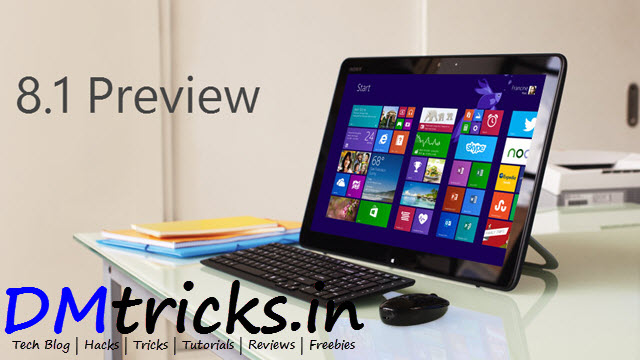
Windows 8.1 Preview ISO Direct Download Link

Note: Windows 8.1 Preview isn't currently supported on some tablets and PCs with newer 32-bit Atom processors. Get the details

Windows 8.1 Preview ISO File Download Link

English 64-bit (x64)  Download (3.49 GB)

English 32-bit (x86) Download (2.59 GB)

Product Key: NTTX3-RV7VB-T7X7F-WQYYY-9Y92F

How to install Windows 8.1 Preview from an ISO file

This procedure is for Windows 8 users.
  1. Download the ISO (.iso) file from above given links.
  2. After downloading double-click the ISO file.
  3. Double-click setup.exe and follow the steps.
Important: If you don't have recovery media, we recommend that you create a USB recovery drive before you install Windows 8.1 Preview so that you can go back to Windows 8 if you need to.

Be Social! Take a second share this post with your friends if it helped you also like us on facebook and stay updated with latest posts.

Selasa, 25 Desember 2012

Airtel to Introduce Wi-Fi Services

After launch of 4G services in many States of India Airtel has announced to introduce Wi-Fi broadband services in major cities including Delhi, Mumbai and Bangalore. Airtel has Partnered with several cafe, restaurant owners for Airtel WiFi hangout Establishment. Well with this major tied up outlets will get these Wi-Fi setup from Airtel and you can easily connect your unlimited devices and start downloading on the go. No downloading limitation, boosted up speeds and faster browsing so it will be fun connecting with your friends anytime anywhere.

Airtel to Introduce Wi-Fi Services

So obviously these services will not be offered for free but these will session based service, you will need to search for Airtel HotSpot and select Airtel Wifi Zone then Activate voucher followed by Login and then you can start browsing and Downloading. If you need to browse for 20 min than you get that plan and your internet will automatically disconnect after that time. So get ready for taste of Airtel wifi as it will launch soon as mentioned on their official website.

Airtel WiFi plans

PLANS PRICE DURATION
Wi-Fi20 Rs.20 30Min
Wi-Fi30 Rs.30 60Min
Wi-Fi50 Rs.50 120Min

There is still no exact date for this service to be released but you can get more information on Airtel W-Fi Services by calling toll free no. 18001022244.

Share this Post with your friends if you like it.
Visit daily for more such information, also like us on facebook

Senin, 05 November 2012

Get Start Menu Back In Windows 8

Microsoft Windows® 8 is shipped without the "Start" menu. But don't worry you can get your start menu back with Stardock Start8.


Start8

Features of Stardock Start8

  • Windows 7-style Start menu with Windows 8 enhancements
  • Search for Windows 8-style (Modern UI) apps
  • Pin desktop and Metro apps to the start menu
  • Jump List support
  • Unified Search for apps, settings and files
  • Boot directly to the Windows 8 desktop
  • One click access to shut down, devices, music, documents, and videos.
Download the Start8 from here (Installer Only)

It is free for try, you can buy it for 4.99$
             OR
Download the Patch from here (Patch Only)

Be Social! Take a second share this post with your friends if it helped you. Also like us on facebook and stay updated with latest posts.